
 Riskrunner
Field value history#
Field value history shows how a value has changed and which review recorded each version. It also shows the supporting signal evidence stored for that review.
Open the history#
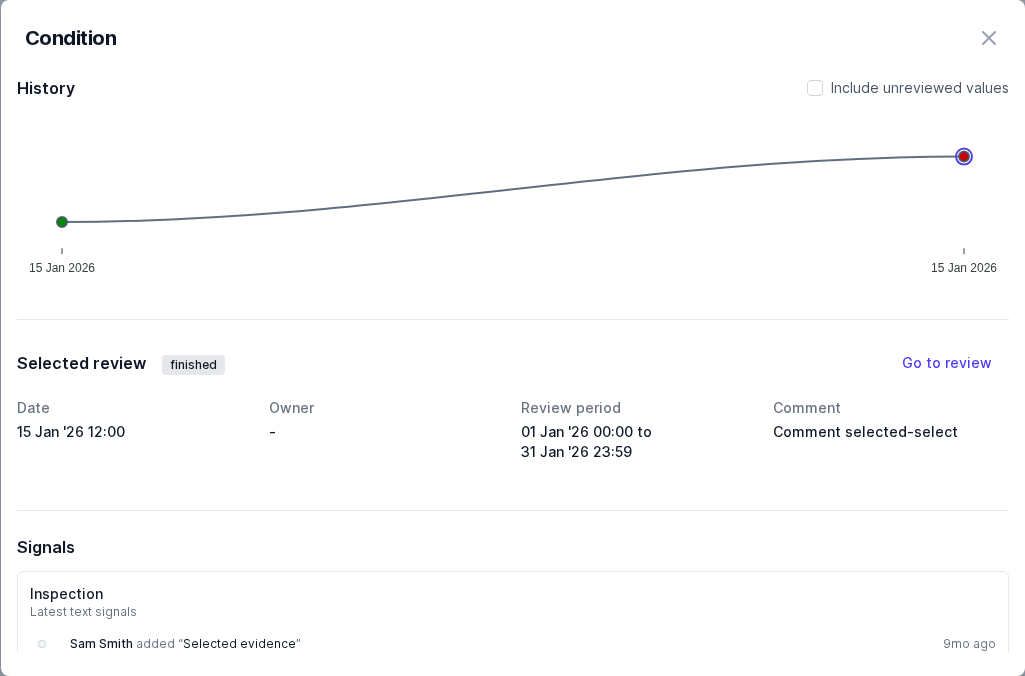
Outside an active review, click a field value in a definition or risk to open its history. The dialog combines a history chart with details about the selected version.
In an active review, clicking an editable value opens the inline editor instead.
Inspect a version#
Select a point in the chart to see its review details:
The review name and status.
The date and review owner.
The review period.
The comment explaining the field value decision.
Click Go to review to open that review. Select another history point to compare its details without closing the dialog.
History normally shows reviewed values. Select Include unreviewed values to show versions of the field value where it was copied into a review, but wasn’t changed or reviewed, so nothing happened to it. By default, this data is filtered out because it’s less meaningful than seeing just the reviews where the field value changed.
Check the supporting evidence#
If the selected review has stored signal evidence for this field and entity, it appears below the review details. Charts and observation lists show the underlying signals, including their dates and contributors.
See Signals for the workflow from collecting evidence to reviewing a field value.